
You'll see
everything I see
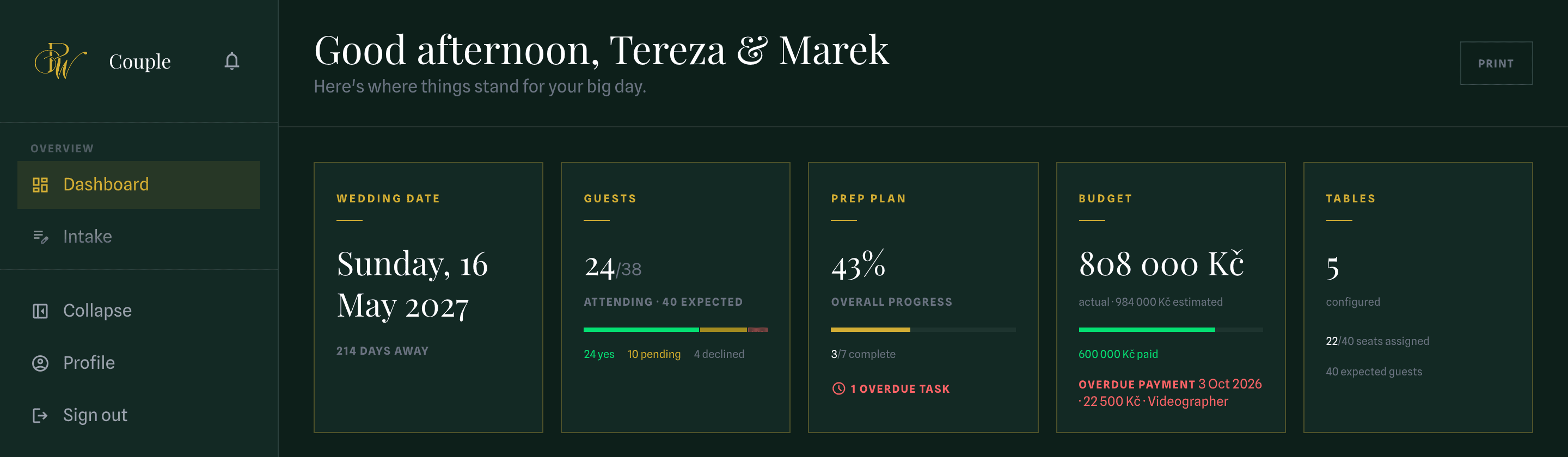
Planning a wedding from another country usually means waiting for replies and scrolling back through chats for the latest version. With me, you get a private portal from our first call, holding the same plan I work from: guest list and RSVPs, seating, budget, checklist. Open it at midnight or on your lunch break and you'll know exactly where things stand.
No more chasing RSVPs
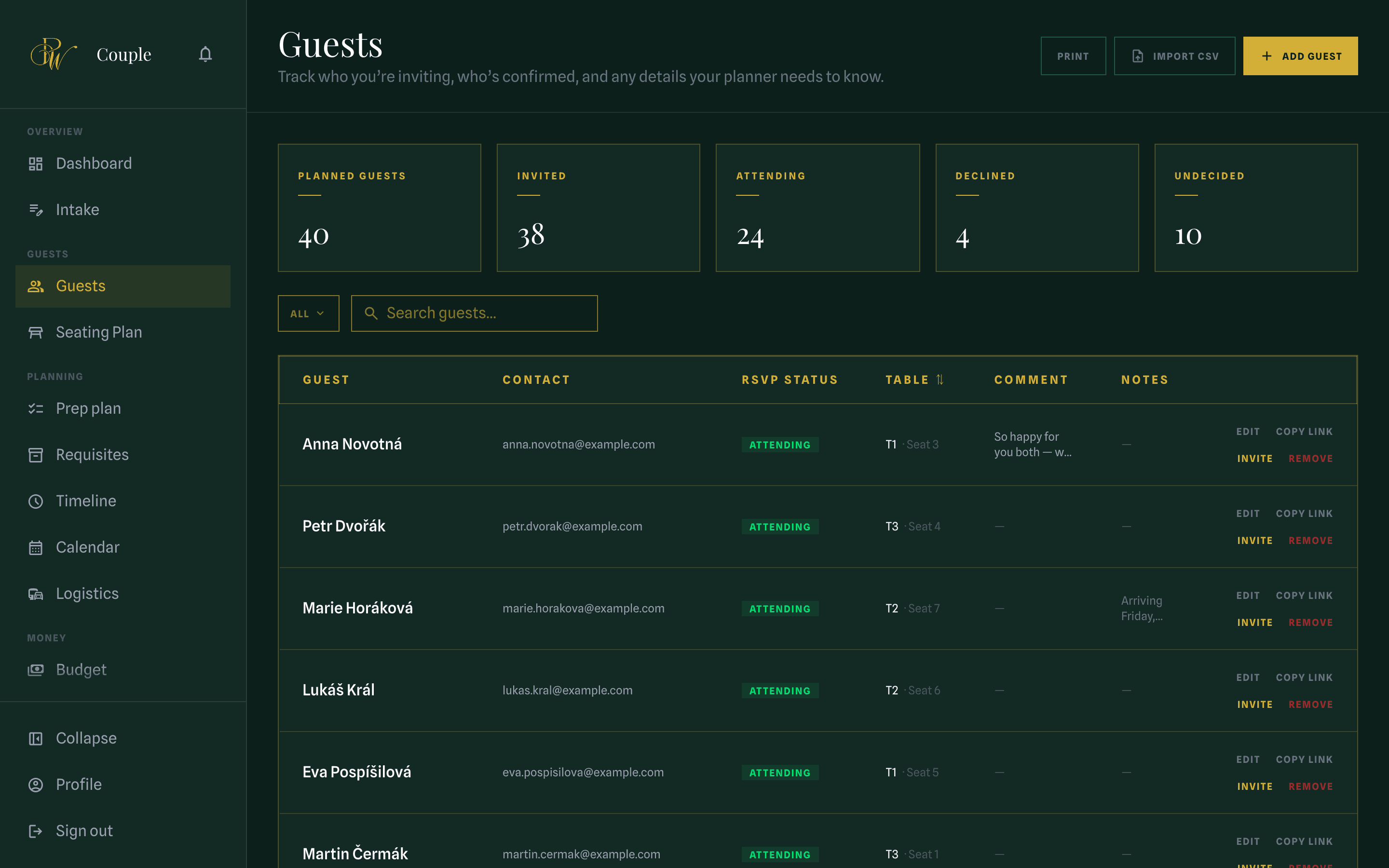
Every guest gets a personal link and replies from their phone, in their own language, with no account to create and nothing to install. Whether they're coming, who they're bringing and what they can't eat all land in your list, and your dashboard updates as the replies arrive. You stop being the family's RSVP inbox.
- Guests reply in English, Czech, Ukrainian or Russian
- Allergies and dietary needs collected with every reply
- Import your spreadsheet once; it stays current from there
Seating changes stop being a crisis
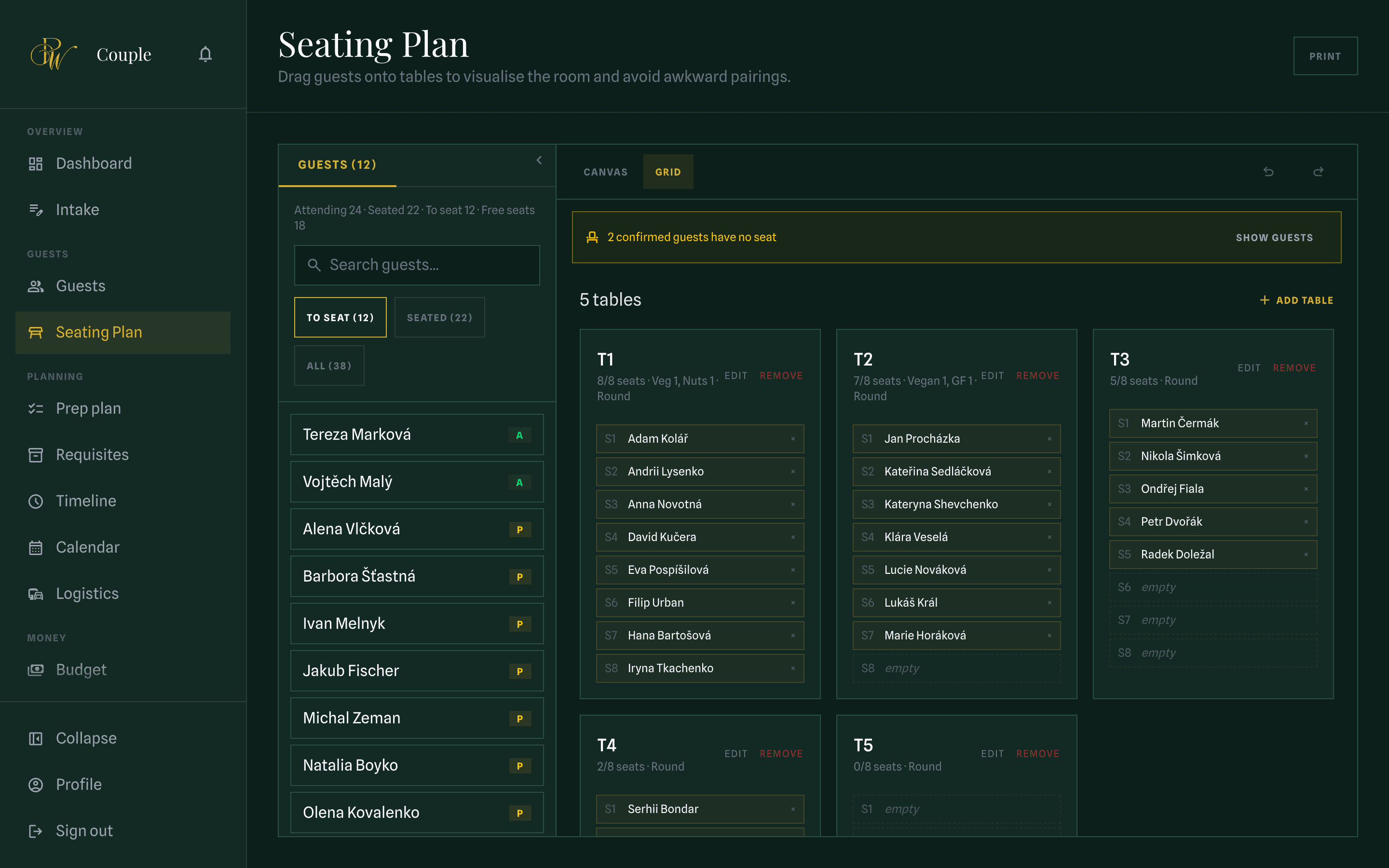
Place guests at tables on your actual venue's floor plan. Move one person and the table counts, the meal numbers and the list of who still has no seat all update instantly. Seating always changes last and most, usually the week you have the least patience for it. Here a late change takes a few seconds instead of an evening.
- Built on your venue's actual floor plan
- Anyone without a seat stays in view until they have one
- Print a table plan the venue can work from
Always know what's paid, what's due and what's left
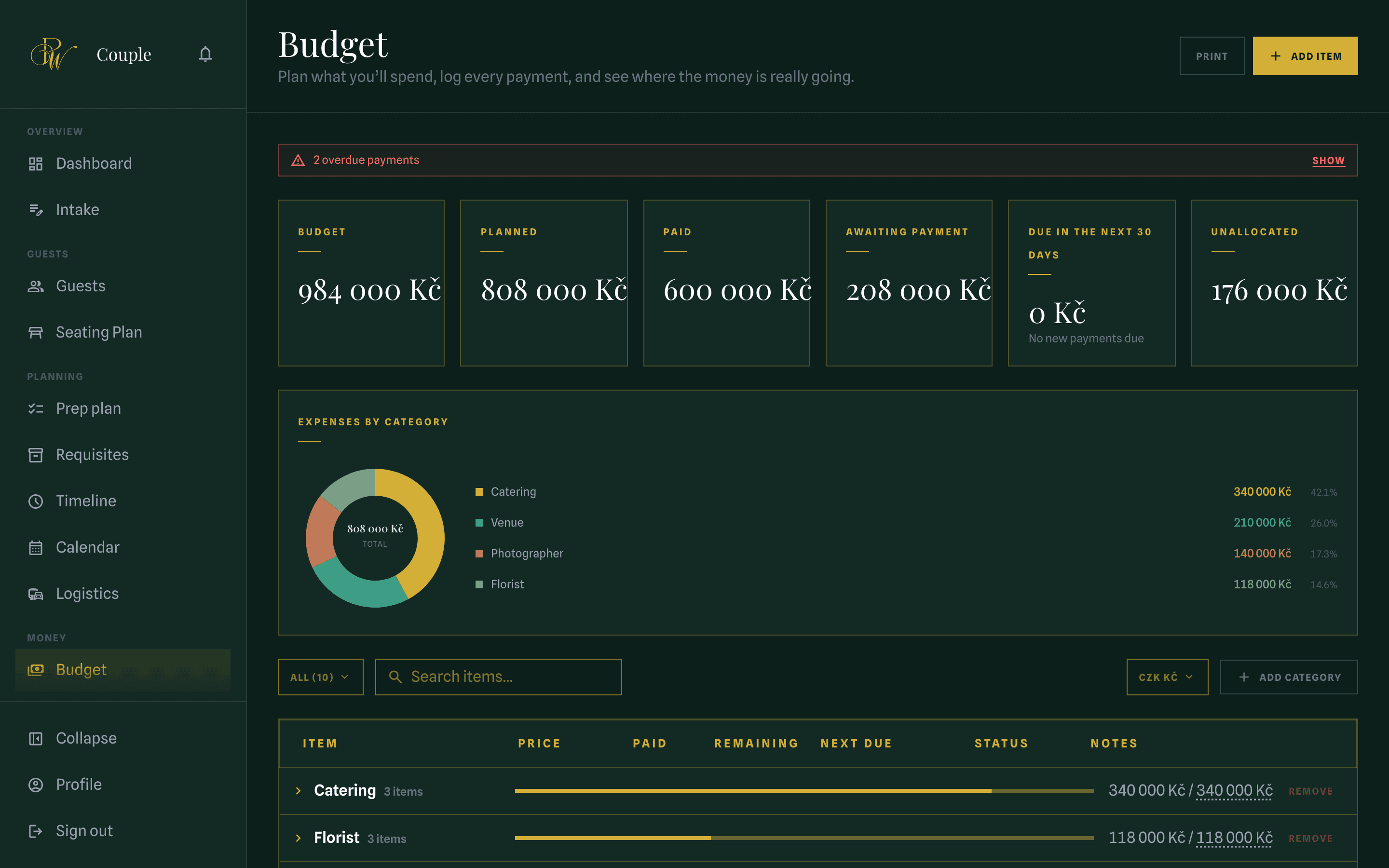
Every cost sits in a category with its own payments and due dates, and every total is calculated from them, so the number on your screen is what you've actually committed. Nobody has to remember to update a total, and overdue payments are flagged before a vendor has to remind you.
- Kept in CZK, EUR or USD, whichever you think in
- Overdue and overpaid flagged before they become a problem
- Vendor payments feed the same figures, so nothing is counted twice
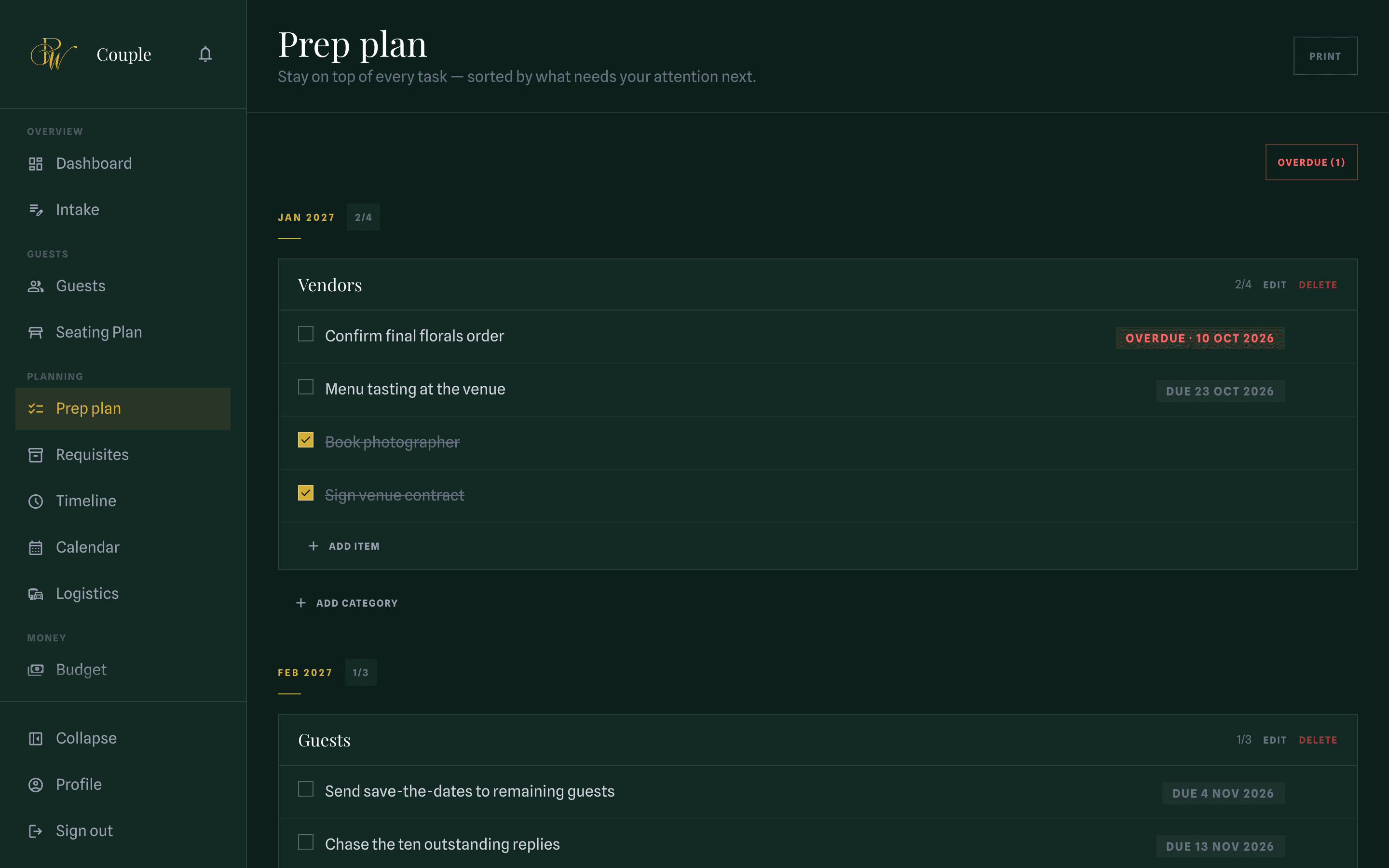
You'll always know what's next, and what's already done
Every task has a deadline counted back from your wedding date, so the most urgent one is always at the top. You'll also see everything I've handled, ticked off as I do it, so you're watching the work happen instead of hoping it is.
- Deadlines shift if your date shifts
- See what I've completed as I complete it
- Nothing saved up to surprise you at the end
And the rest of a wedding
Twelve more parts of the portal. You'll open them less often, and be very glad they exist when you do.
Timeline
The wedding day, hour by hour, shared with every supplier.
Vendors
Who's booked, what they cost, what's still being decided.
Venues
Shortlists, site visits and everything I found out about each.
Contracts
Read and sign online. Nothing to print, scan or post.
Calendar
Tastings, fittings and payment dates in one view.
Photos
One album your guests can add their own pictures to.
Logistics
Transport, hotel blocks and who arrives when.
Aesthetics
Your palette and the inspiration board behind it.
Presentations
The concepts and moodboards I put together for you.
Intake
The questionnaire that turns an idea into a plan.
Notifications
A heads-up whenever something changes, so you're never the last to know.
Profile
Your details, and the language the portal speaks to you in.
The portal comes with every wedding I plan.
Getting in takes a minute
Your portal is created the moment your wedding is set up. There's nothing to sign up for; you just accept the invitation.
Check your inbox
An invitation arrives by email as soon as I've set your wedding up.
Choose a password
Open the link, choose a password, and you're in.
It's already filled in
Your date, your venue and everything we've discussed are waiting for you.
Lost your invitation?